Home
Tonight gets top billing.
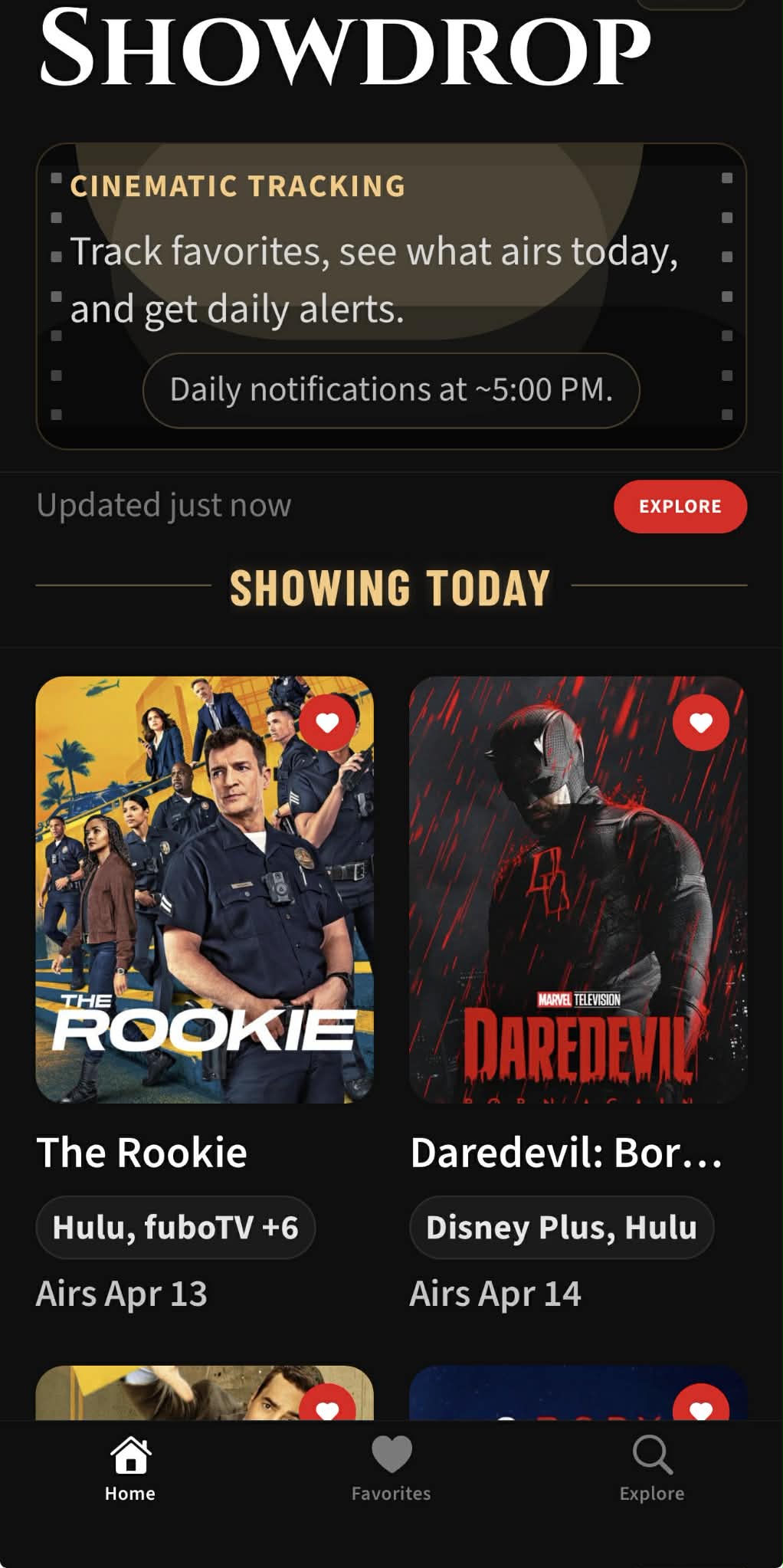
Open the app, see what airs today. No feed to scroll, no algorithm to decode — just your shows and when they drop.
 SHOWDROP
Golden Age Style. Streaming Era Utility.
Showdrop keeps your favorite shows in one place, surfaces what airs today first, and gives you optional reminders on iPhone without turning setup into a chore.
Designed For Tonight
Home
Open the app, see what airs today. No feed to scroll, no algorithm to decode — just your shows and when they drop.
Explore
Type a name and get a result. Browse what is trending when you are in the mood for something new. One tap saves it to your lineup.
Favorites
Every show you save lands here. Global reminders stay visible in Favorites, and show-level schedules live in Details when you want more control.
Inside The App
Home
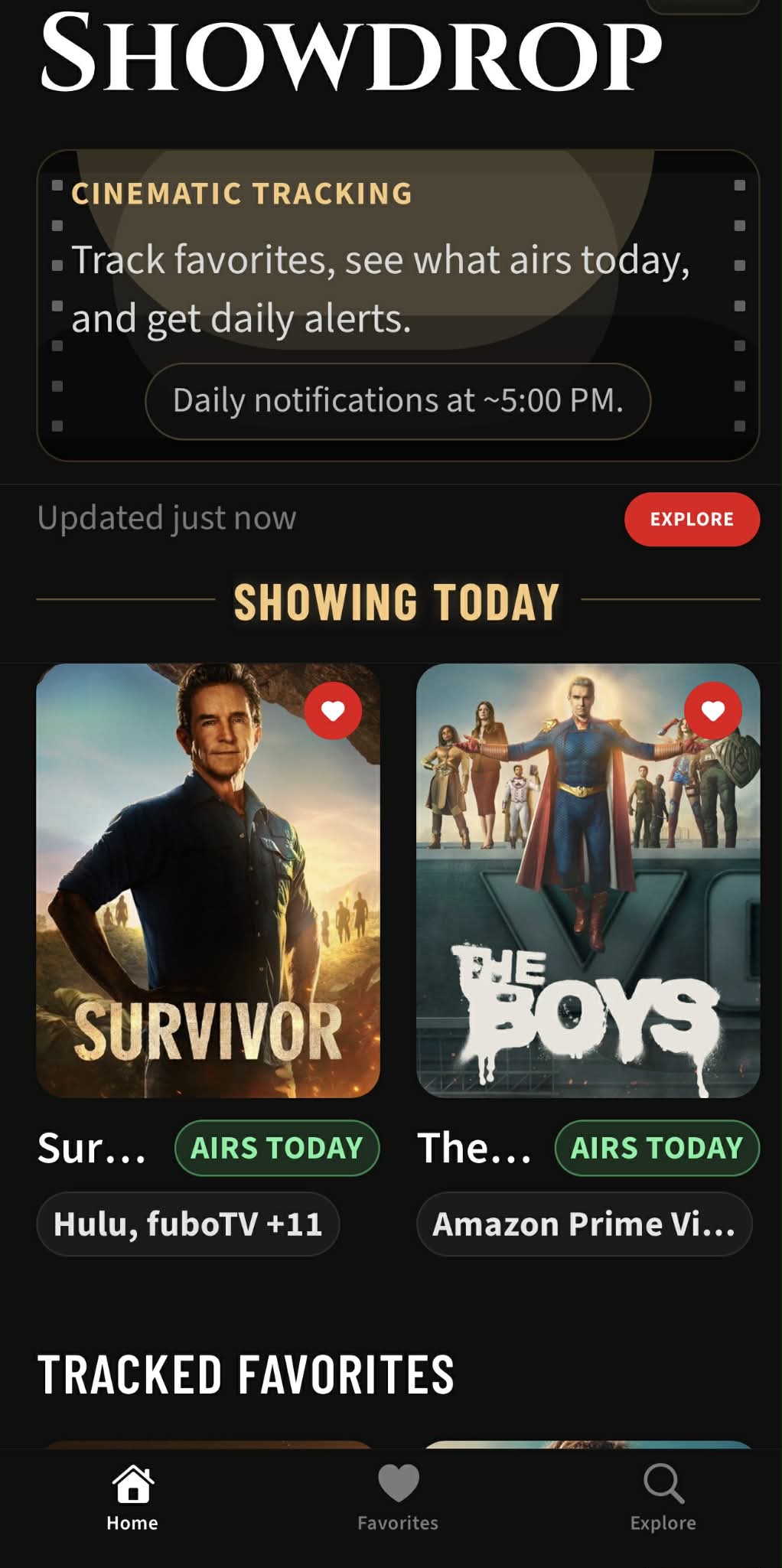
Your saved shows, sorted by air date. The answer to “what's on tonight?” in one glance.
Explore
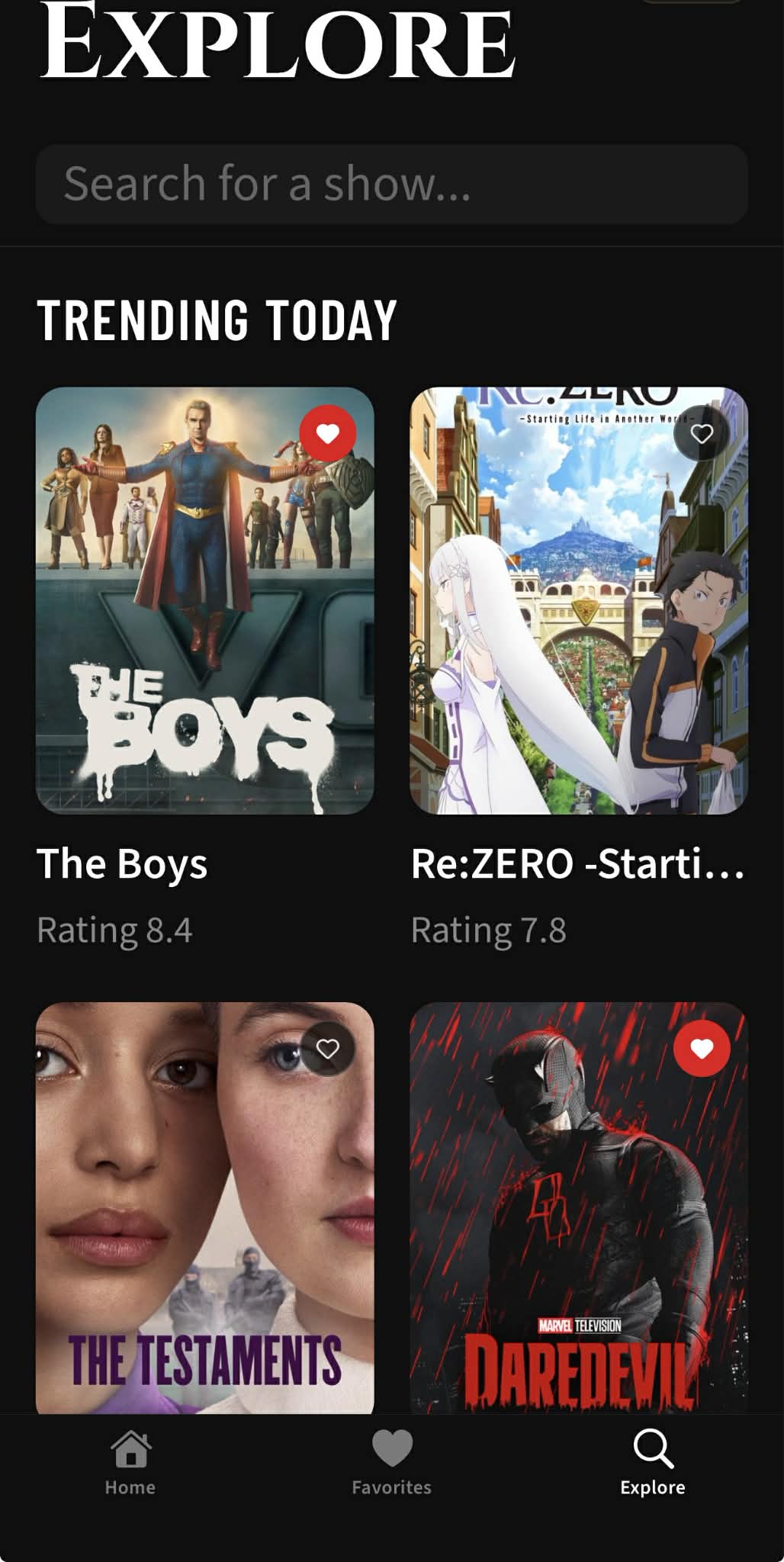
Find a show by name or scroll the trending list. One tap adds it to your favorites.
Favorites
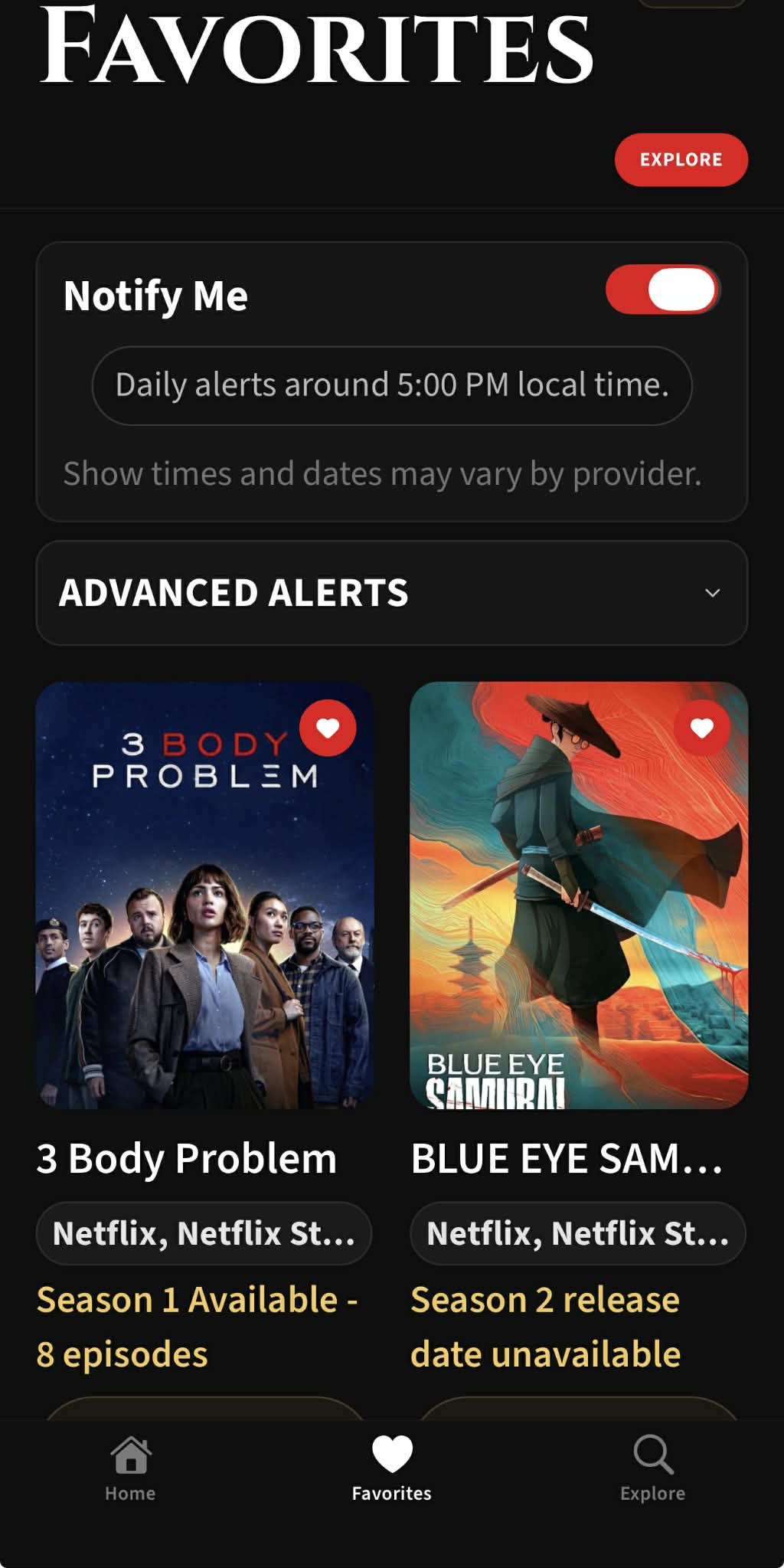
Every saved show in one list. Flip Notify Me on and get a daily heads-up at ~8:00 AM.
Frictionless FAQ
No. Showdrop is designed so you can start using the app without a signup screen.
The free version currently limits favorites to 3. Premium removes that limit.
Use the Explore search bar to look up a specific show by name, or leave it empty to browse what is trending today. You can also tap the Provider chip inside the search field to open a provider sheet, pick from popular services, or search the provider list directly. Use Clear Filter to return to the full Explore feed.
Open Favorites and use the global Notify Me toggle. The toggle appears after you save at least one favorite show.
Open Showdrop and use Restore Premium Access and Settings. Showdrop should restore your Premium subscription first, then recover your saved Premium settings and favorites.
Make sure you are using the same Apple ID you used when you turned on restore, then try Restore Premium Access and Settings again on a stable connection. If your old iPhone still has your data, keep it available and contact support.
Showdrop Premium subscriptions are managed through Apple. Open iPhone Settings, tap your Apple ID, open Subscriptions, select Showdrop Premium, and choose the yearly plan.
Open iPhone Settings, tap your Apple ID, open Subscriptions, select Showdrop Premium, and tap Cancel Subscription. Premium should remain active until the end of the current billing period.
Usually no. Canceling stops future renewal, but it does not automatically issue a refund. If you think you should receive a refund, request it directly from Apple at reportaproblem.apple.com.
First, turn on Notify Me in Favorites. Then on iPhone go to Settings > Notifications > Showdrop and make sure Allow Notifications, Notification Center, Lock Screen, and Banners are all enabled. If Showdrop is missing there, reopen the app and use the in-app notification repair button in Favorites if it appears.
When Notify Me is on, the baseline timing is daily notifications at about 8:00 AM local time. Premium delivery settings can update that schedule.
About
Showdrop is built for dependable show tracking with low-friction navigation. Developed by Silent Logic, LLC.